Every detail.
One finish line.
One app that connects your training, fueling practice and race-day preparation.
These are real screens from the app, with sample data. FNISH isn’t in the stores yet.
Your race
Pick your event from a catalog of 50, or add your own with its sport, distance and date. Your whole plan counts down to it.
- Running, cycling or triathlon, from your first 5 km to the full 140.6
- A source on every fact, and the ones nobody has confirmed are marked
- Check a fact or correct it, and your own answer always wins
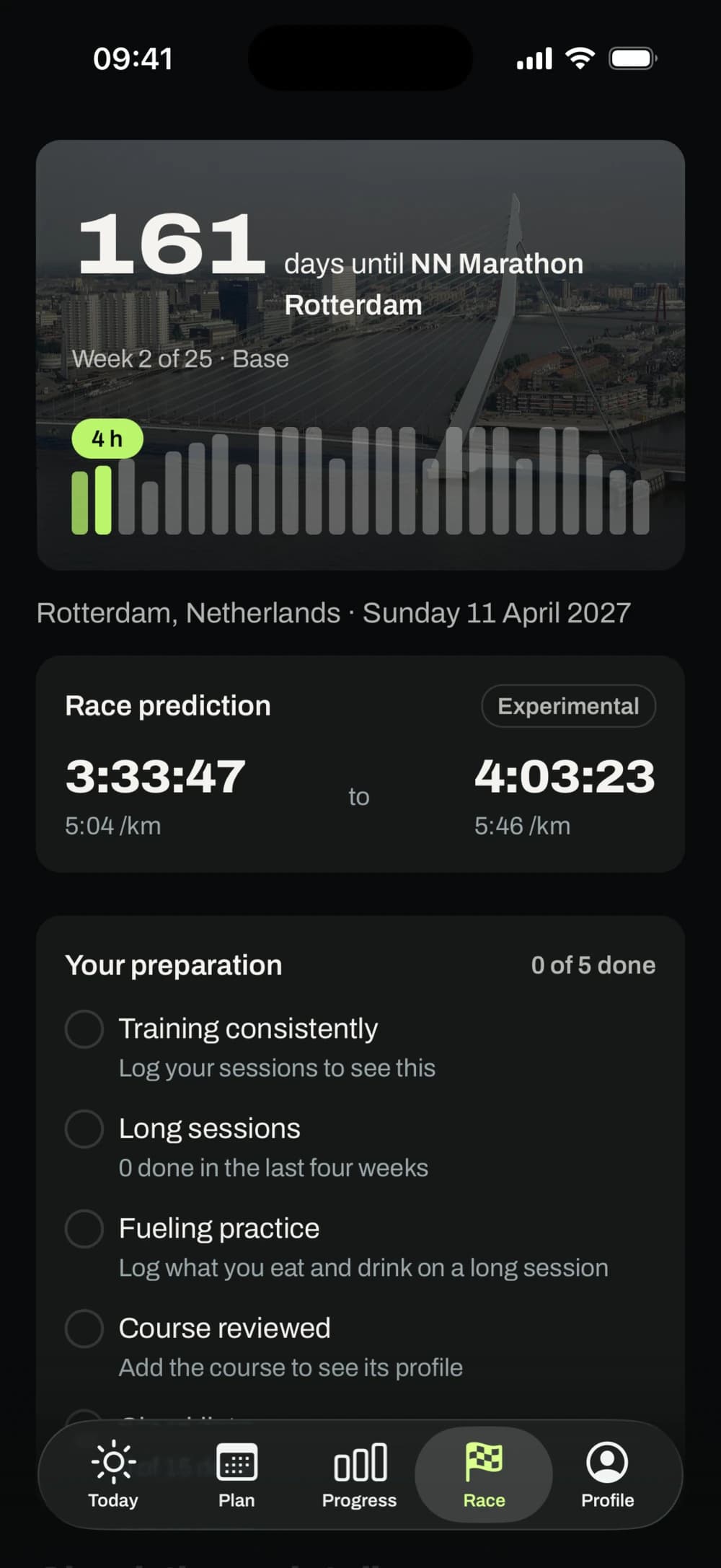
A real screen from the FNISH app, with sample data. FNISH isn't connected to this race's organiser. Photo: Gerard Dukker, CC BY-SA 4.0.
Your week
Pick the days you can train and the most time you have on each. FNISH plans around that, and you can change it any time.
- A plan for the next two weeks and a season to race day
- It says plainly when a week is small for your race
- Strength sessions next to the plan, if you want them
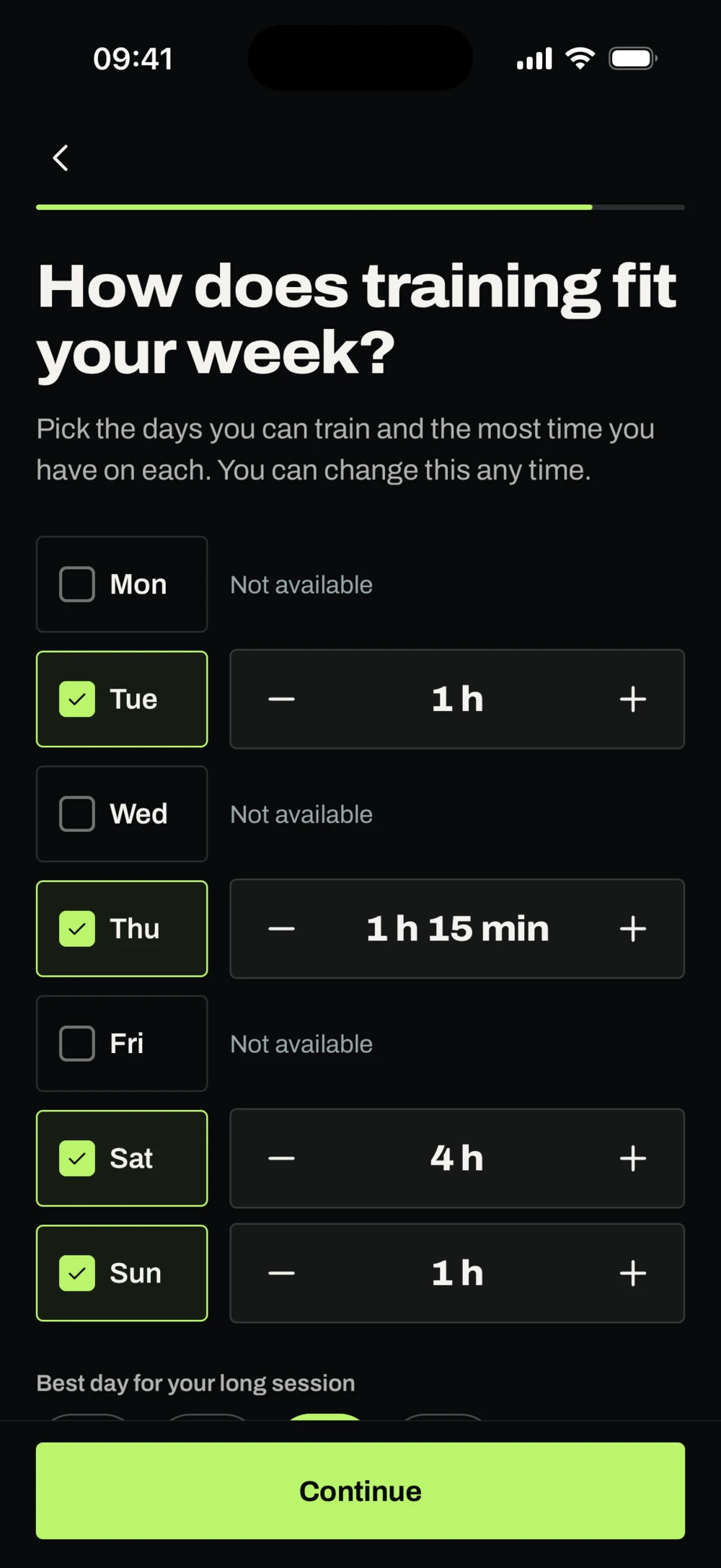
A real screen from the FNISH app, with sample data.
Your training
Every session says what it is and why it's there, with its steps, zones and targets.
- Time, zone, pace or power and effort for every step
- Move a session, or say you can't train, and the plan follows
- Follow it on your phone or Apple Watch, or send it to a Garmin
The training rules are drafts until a qualified coach has reviewed them, and the app says so.
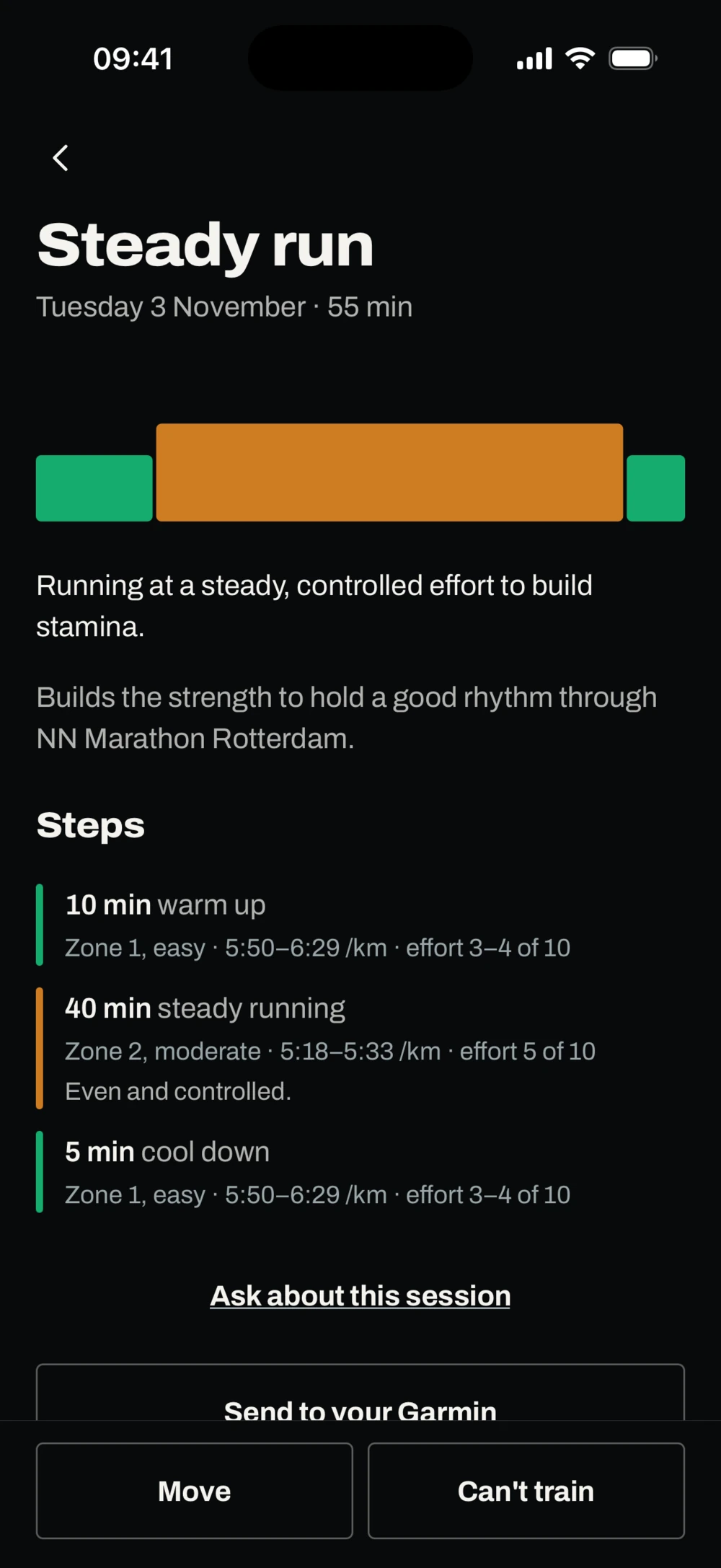
A real screen from the FNISH app, with sample data. FNISH isn't connected to this race's organiser.
A plan that responds
Miss a session, go too hard or lose a few days to illness, and the plan responds. Every change says what changed and why.
- Signs of tiredness come with an offer of lighter days, and it's your call
- Nothing is added later to make up for it
- Every change stays in your plan's history
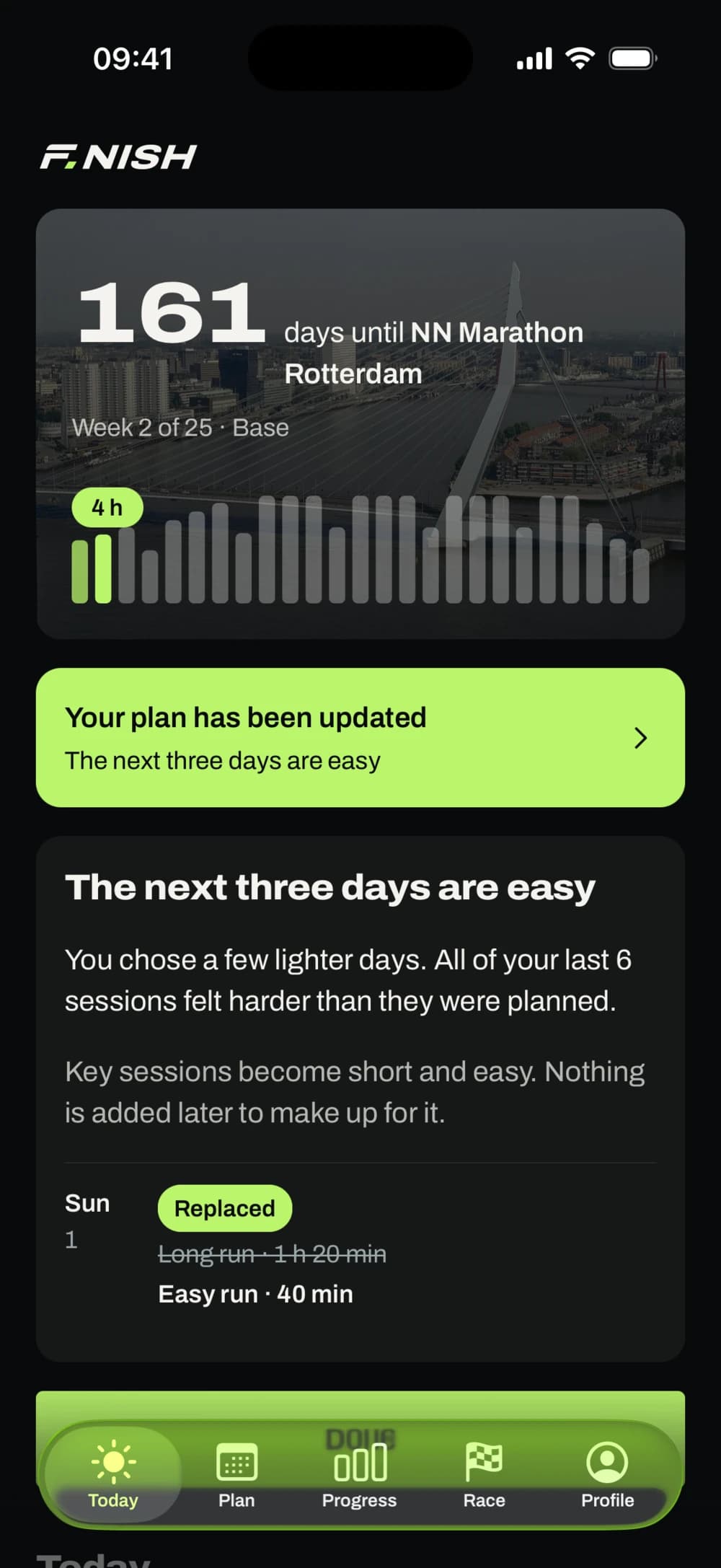
A real screen from the FNISH app, with sample data. FNISH isn't connected to this race's organiser. Photo: Gerard Dukker, CC BY-SA 4.0.
Your coach
Ask about your plan, your sessions and your race. It answers from your plan first, also offline, and uses AI for the rest.
- It can suggest a change, and nothing happens until you say yes
- AI also reviews your plan after your sessions and reads them with you
- Every change passes safety checks, and you see what changed
AI can be wrong. Training facts go to Claude, Anthropic's AI model, with your permission, and never your name, email, notes or routes. FNISH gives training guidance, not medical advice.
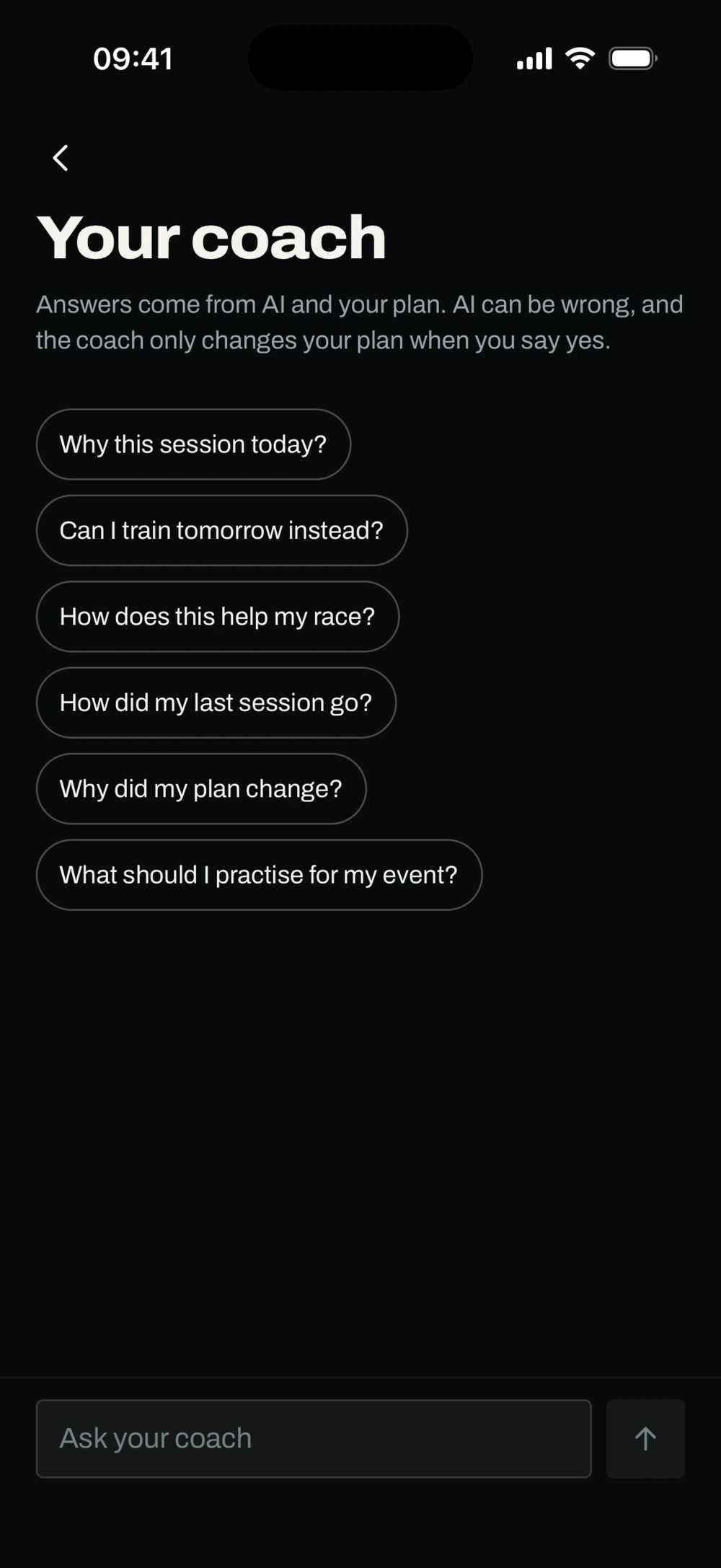
A real screen from the FNISH app, with sample data.
Your fueling
Log what you eat and drink on long sessions and how your stomach took it, so race day repeats what you've practised.
- Your own numbers, added up per hour
- What you've tested, how often, and how it went
- Reminders to eat and drink during a session, if you want them
FNISH doesn't tell you how much to take. Amounts wait until a sports dietitian has reviewed them. It won't replace medical or clinical dietary advice.
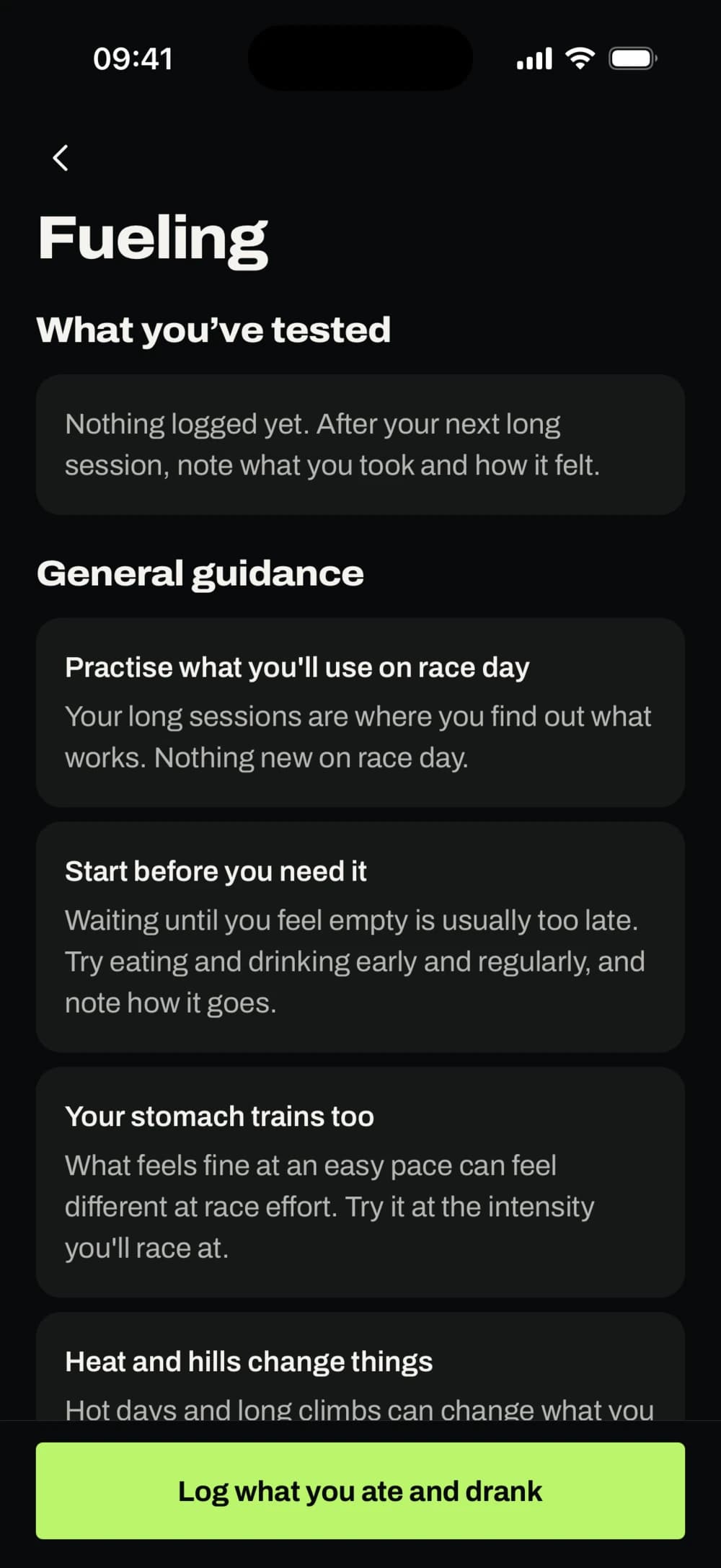
A real screen from the FNISH app, with sample data.
Your progress
See how your training is going: what's improved, what needs attention and how you're building towards your race.
- Training load and signs of tiredness, in plain words
- Zones for power, pace, swimming and heart rate
- Import FIT, TCX and GPX files, with charts, laps and records
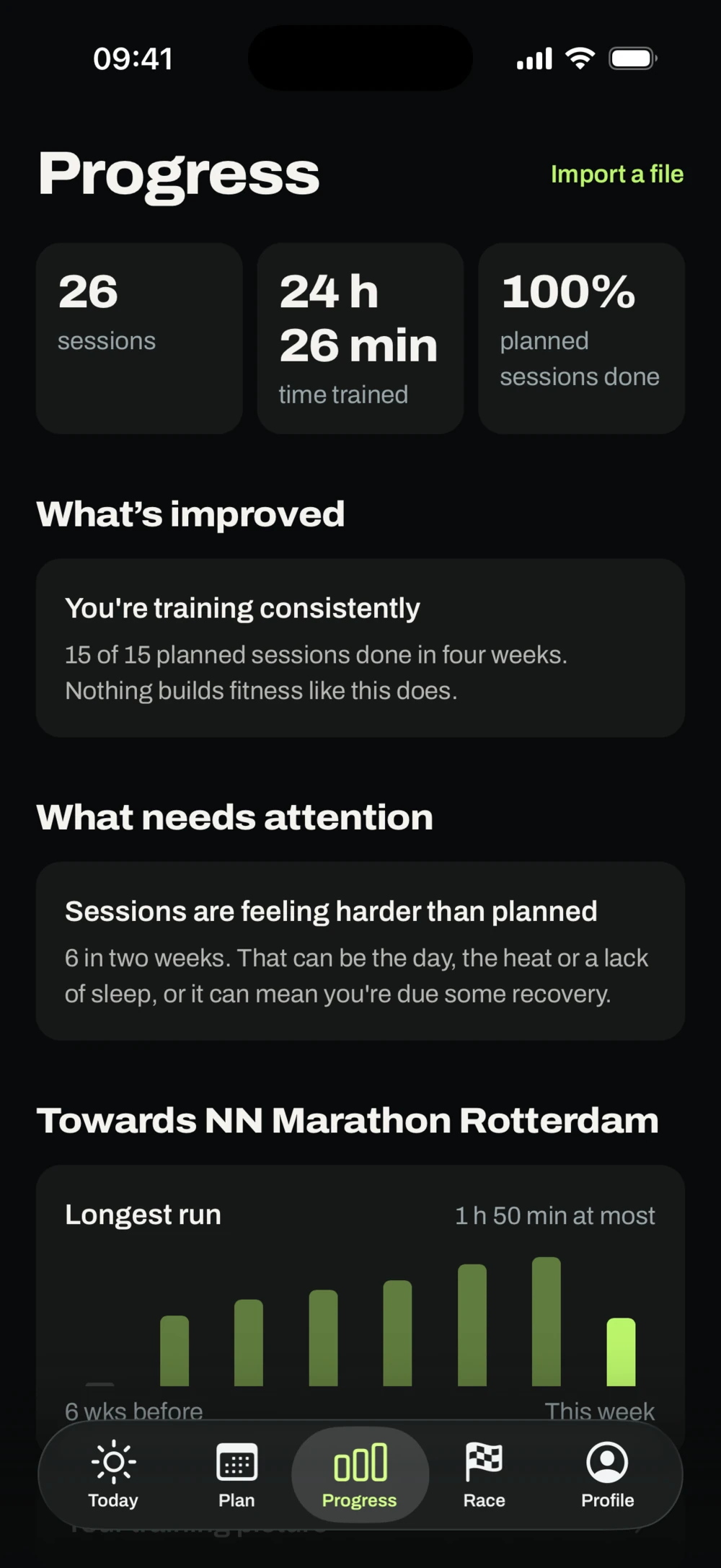
A real screen from the FNISH app, with sample data. FNISH isn't connected to this race's organiser.
Your race plan
Pacing, the fueling you've practised, your equipment and race week on one page, where each line says what it rests on.
- Time checks from your target or your estimate
- A finishing time as a range, marked experimental until real results back it
- A checklist per sport, and the organiser's rules come first
The estimate is an experimental model that hasn't been checked against real race results yet. It's an estimate, not a promise.
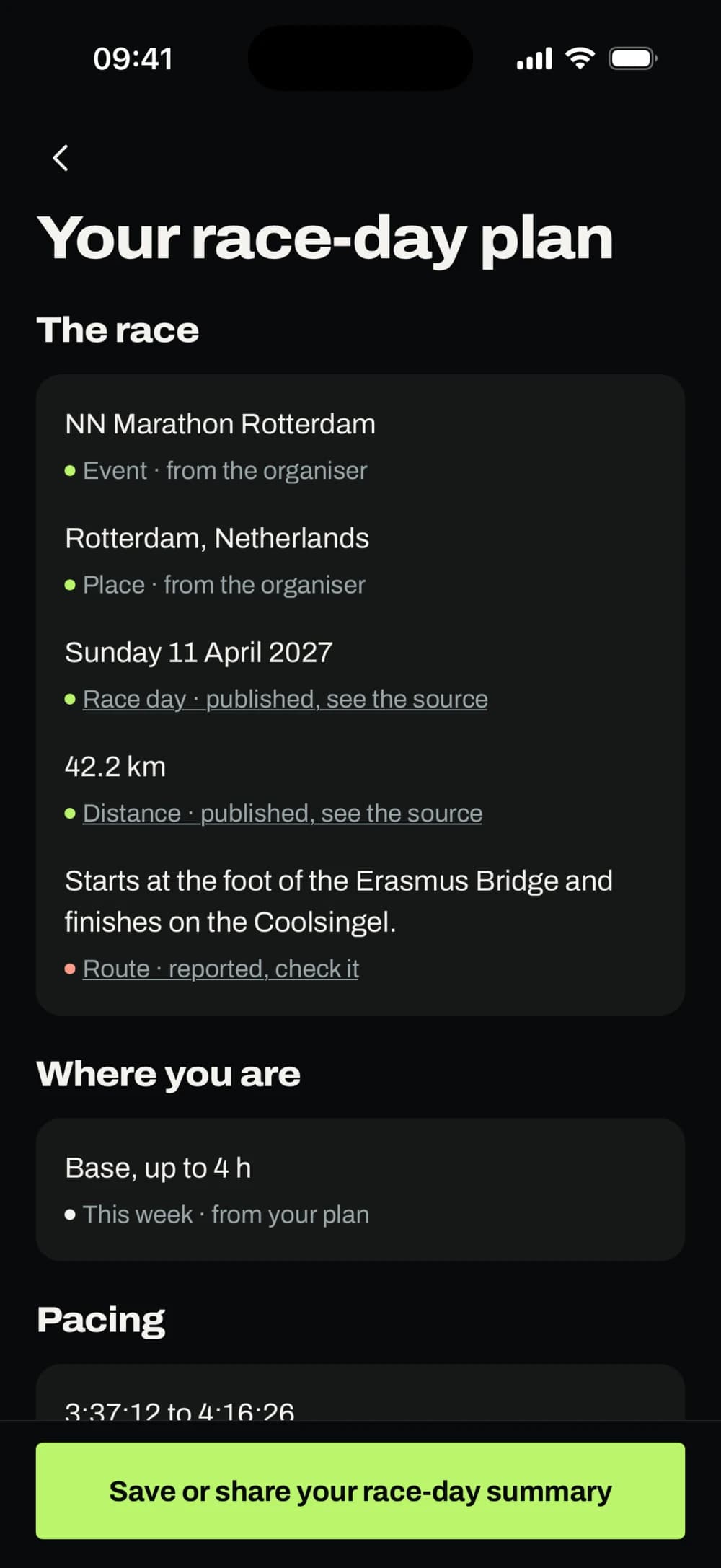
A real screen from the FNISH app, with sample data. FNISH isn't connected to this race's organiser.
Your data
See exactly what FNISH holds, export it or delete it, from inside the app. No ads, and your data isn't sold.
- AI is how FNISH works, so the app asks your permission once, at the start
- Withdrawing it means deleting your account, and the button is right there
- Nothing from Strava goes to AI, because FNISH reads nothing from Strava
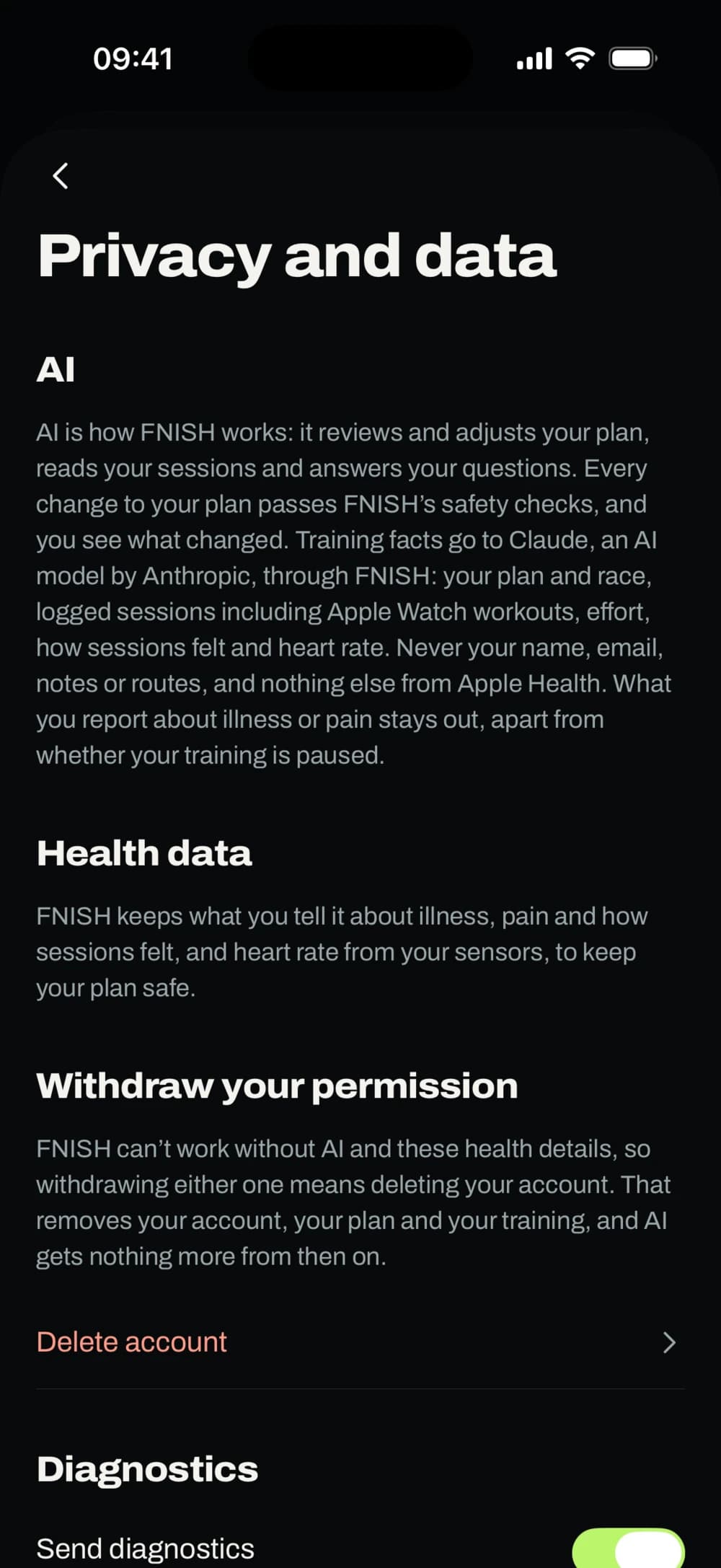
A real screen from the FNISH app, with sample data.
On your phone. On your wrist.
FNISH runs on iPhone and Apple Watch, so your plan goes wherever you train. An Android version is planned.
Follow every session
On your phone, with guidance in zone colours, voice cues and a heart rate strap or power meter.
On your wrist
Take runs and rides along on Apple Watch, with the target range always in view.
Send it to a Garmin
Put a session on your bike computer or watch as a file, for live intervals on the device.
Upload to Strava
Send what you record with FNISH to Strava, one session at a time. Nothing comes back from Strava.
Bring your own files
Import FIT, TCX and GPX files, with charts, laps, intervals and personal records.
Uploading to Strava and sending sessions straight to Garmin Connect still need approval from Strava and Garmin. A Garmin file by cable doesn’t.
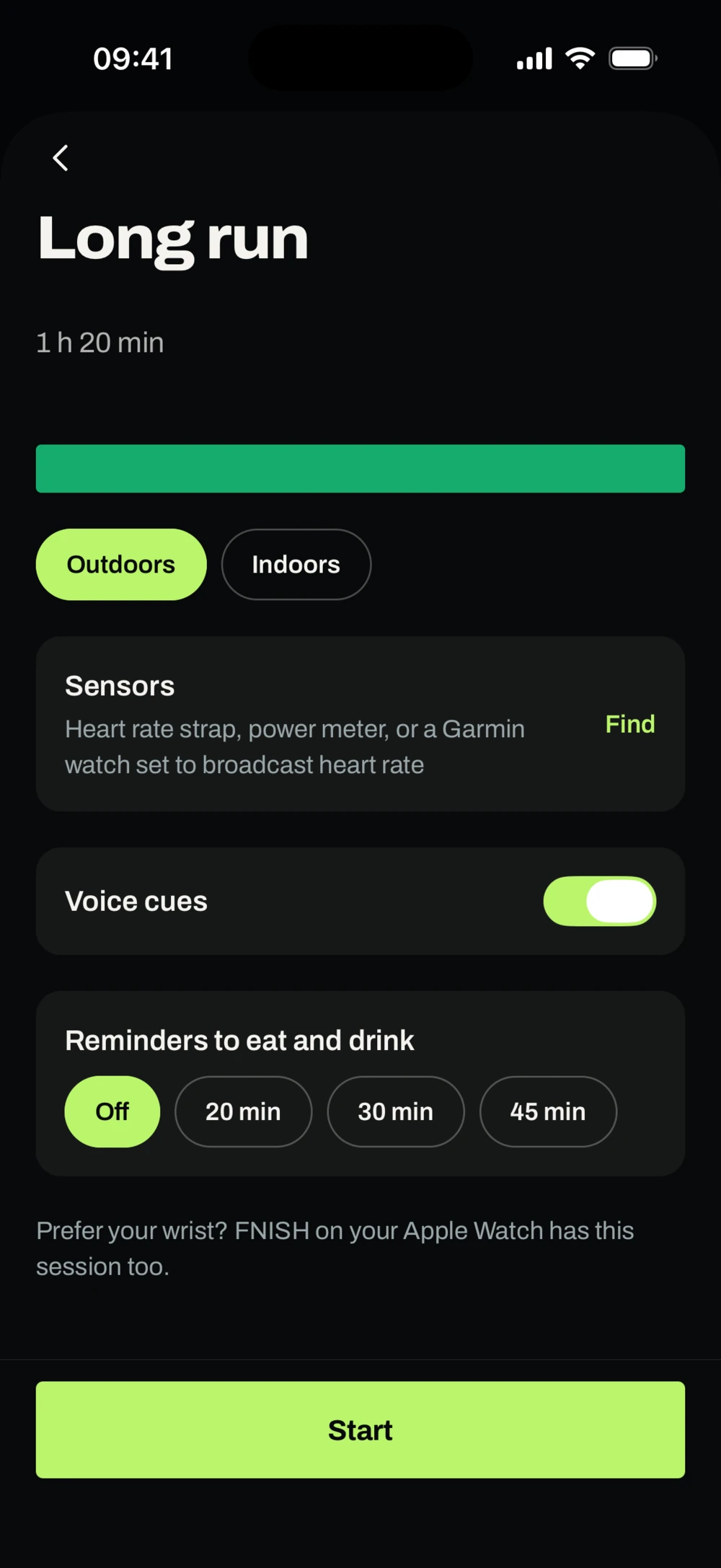
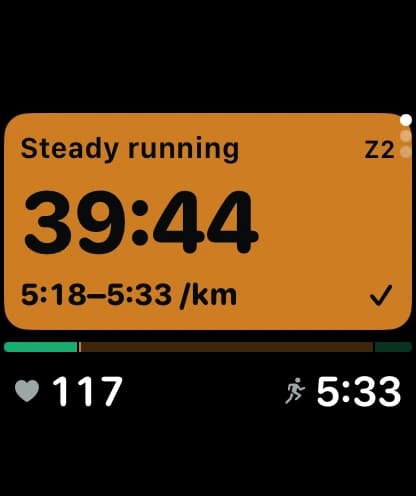
Real screens from the FNISH app, with sample data.
Your finish starts here.
One race. One complete plan. An app that brings your training, fueling practice and race-day preparation together around the race you’re training for.


Coming soon to the App Store and Google Play.